Lets start from the beginning of the timeline. Its October first week, I am in the US. Out of OCD and habit I check my Indian credit card by Standard Chartered. I see that there is a charge of almost 30000 rupees which I don’t recognize. I immediately call their call center and after going through a tedious IVRS system I finally get to talk to a real person. My call disconnects twice before I can complete the dispute. I send in a dispute declaration form to the bank for further processing the dispute. If I were in the US, this would be the end of it, the merchant would be penalized. That was not to be. Since we were in the beautiful land of India, everyone was just hoping to take customers for a ride. Standard Chartered and as I found Bank of Baroda later which was the payment processor for the merchant were pushing for the same.
After submitting the dispute form, I received a temporary credit and the online customer service advised me to pay the disputed money otherwise they would charge finance charges. I was shocked and flabbergasted at this. This is directly in contravention of any rule or guideline concerning the dispute process. I wrote off a letter to the RBI ombudsman after this highlighting that not only is Standard Chartered not assisting me properly, they are trying to arm twist me into payment. I also highlighted other procedural lapses by the bank. Here is a relevant portion of my letter to the RBI copied to standard chartered bank :
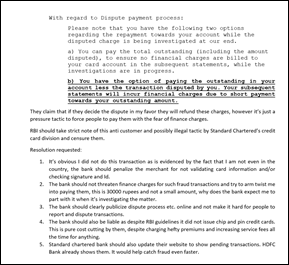
I sent the letters and promptly got busy in worklife. Pretty soon the dispute was closed in the merchant’s favor. I got to know this in standard chartered bank’s response to the RBI. It was full of half truths, but the most fascinating thing was the proof the merchant had submitted.

They claimed that a chargeslip was the proof of the transaction as submitted by the merchant. Its ridiculous that Indian banks think their customers are so dumb and illiterate. And this too in response to the RBI ombudsman. A chargeslip is generated in every transaction, it cannot be proof that someone committed the transaction. It’s common sense one would argue, however Standard Chartered bank had the audacity to attach the chargeslip as proof to the RBI. Thankfully, I still had my card and the signature on the chargeslip was just swiggly lines. They also claim this is industry standard, wow and yikes at the same time. If our CC industry believes that a chargeslip is proof enough for a transaction then I can safely say no fraud has even been committed using credit cards offline in India. Is this really the industry standard ?
Here is the fraudulent chageslip in all its glory, notice that the name looks like Waseem, maybe its fake or maybe the thief signed his real name :
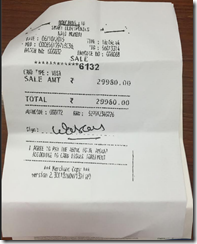
What was interesting in Standard Chartered’s response to the RBI was that they agreed to reopen the dispute after initially deciding against me only due to the fact that I was abroad. I cringe at what would happen if I was in India, then the chargeslip with fake signature would have ensured that Standard Chartered would hold me responsible for the charge ? They also cleverly asked the RBI to close the complaint. At this point, I asked dad to prepare filing a case in consumer court, there was no way I was going to pay the fraudulent charges.
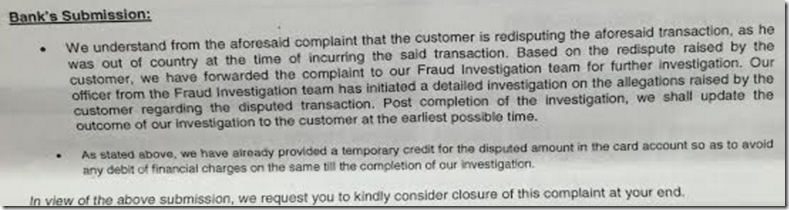
So post this drama, I shot off a response to RBI and Standard Chartered bank again questioning the shoddy proof and also asking the RBI to not close the complaint since the essence of the complaint was infact the charge itself and not whether they were allowing me to dispute it. Here is a copy of some of my points in the letter :
However to get to the pertinent points regarding the dispute:
1. I was not present in the country when the said transaction happened, and I have the card in my possession.
2. The signature shared by the merchant bank doesn’t even look like my name and just seems like scribbling. This is the signature on the back of my card for reference. As you can see as a security measure I had even scratched off the 3 digit CVV and always used the card carefully.
The merchant has obviously done a poor job of matching the signature for such a high value transaction or checking the identity.
3. I have also filed a case with the Navi Mumbai Police’s cyber cell
<complaint numbers here>
4. Given the facts of the case, I am able to prove beyond any reasonable doubt that the transaction is fraudulent and not committed by me and I have the card in my possession so there is no negligence on my part. I reported the fraud transaction as soon as I got to know about it.
Question to Bank:
I fail to understand how the charge slip is any kind of ‘proof’ that I had committed the transaction. It’s not evidence, it’s a fact that anytime a transaction happens, a chargeslip is generated. How is that even pertinent to the case at hand?
What is evidence is that the signature is a complete mismatch and scribble and since I did not sign that chargeslip, I am not the one who entered into the contract to pay for that charge.
Since the bank claims the dispute is currently in investigation, I accept their submission to wait for an outcome.
I would request RBI to keep the complaint open till a decision is reached by the bank in the matter. The crux of my complaint is that the transaction is obviously not done by me and I should not be responsible for the fraud and that matter is not yet resolved by the bank.
Thanks
Wisetechie
Copy to :
Nodal Officer, Standard Chartered Bank
After waiting for another month and a half, today I finally seem to have gotten confirmation that the disputed charge is finally reversed from my account. I hope this is the end of it. There is an important lesson in all of this especially if you use credit products in India. the protections to consumers seem to be very flimsy. If you use a credit product in India, insist on a chip card and if you use your card at restaurants, insist to go along with the waiter to swipe the card. Scratch off the CVV from the back of the card and most importantly flex your rights. My blood still boils thinking of how the chargeslip was meant to be proof of me committing the transaction. In my opinion it was only because I was in the US that the dispute was decided in my favor (it still took 2.5 months).




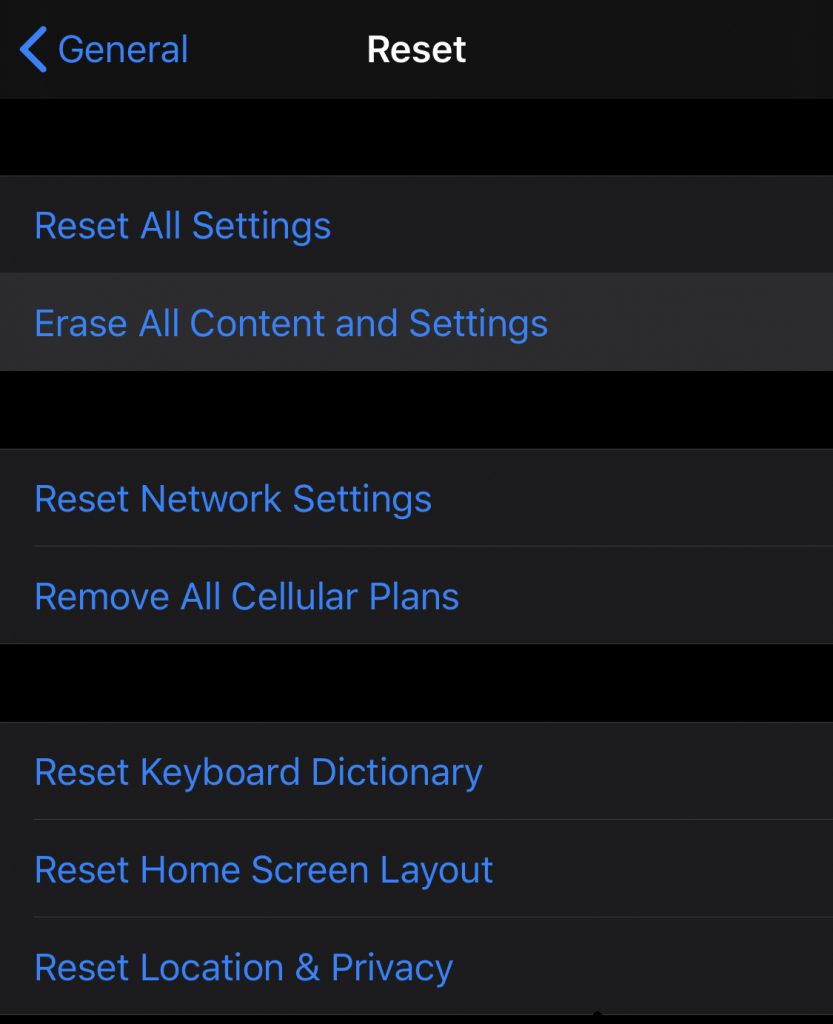 5. After the reset, I restored the backup I had made in step 3 by connecting the iPhone back to the computer. After the restoration was complete, the mystery storage bug was gone!
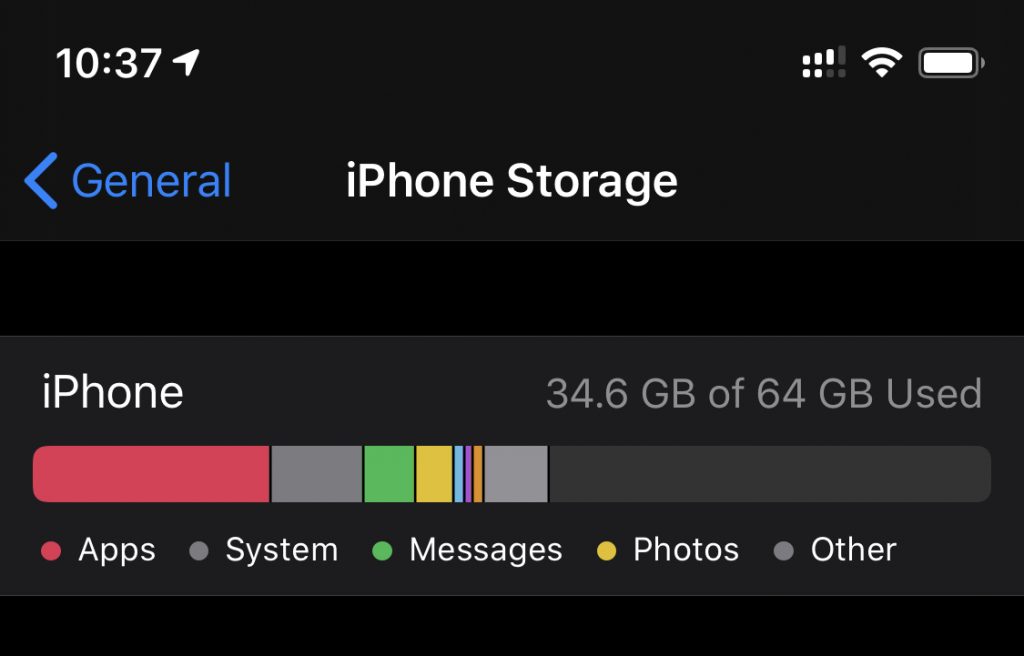



 ).
). 


